Terminal, files, buckets and pods in one window.
sshs3 runs your own OpenSSH, so ~/.ssh/config, agents and hardware keys work as they do in a shell. Beside it: a dual-pane SFTP and S3 file manager, Kubernetes exec and debugging, and profiles your team shares without a vendor cloud.
$sudo dnf copr enable alun-hub/sshs3 && sudo dnf install sshs3
- Your OpenSSH, not ourssshs3 starts the
sshon your machine, so existing config and agents just work. - No sshs3 cloudSync and Team Vault use your own S3 bucket or SFTP server. There are no accounts.
- Keys stay on the cardFIDO2 keys and smartcards sign on the device. Private keys are never loaded into the app.
- MIT licensedSource and releases are on GitHub, for Linux and Windows.
Try it in two minutes.
Nothing to migrate. sshs3 uses the ssh you already have.
- InstallPick your OS below. There is no account and no sign-up.
- Import your hostsIn the Connection Manager choose Import Hosts from ~/.ssh/config. Hosts, ports, users,
IdentityFileandProxyJumparrive in folders. - ConnectOpen a terminal or the file manager on any host. Your agent, jump hosts and security key work as before.
One window for everything you touch on a server.
Built for sysadmins, SREs and developers who move between many hosts and clusters, hop through bastions, and sign in with hardware keys.
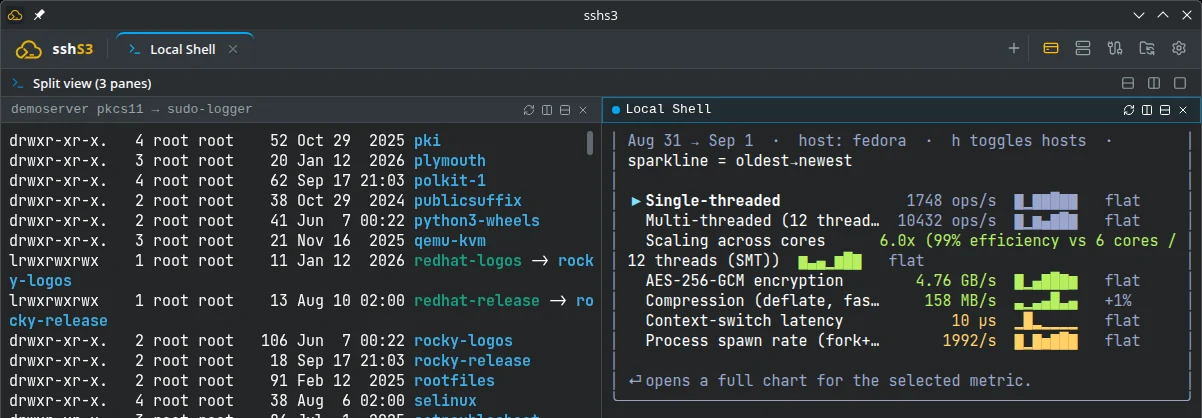
Split panes that remember where you were.
Konsole-style recursive splits, each pane with its own connection and isolated session.
- Local shells next to SSH. On Windows that includes PowerShell, cmd and WSL.
- Sessions come back. Tabs, layouts and working directories are restored after a restart.
- Unlocked keys work in local shells. A managed
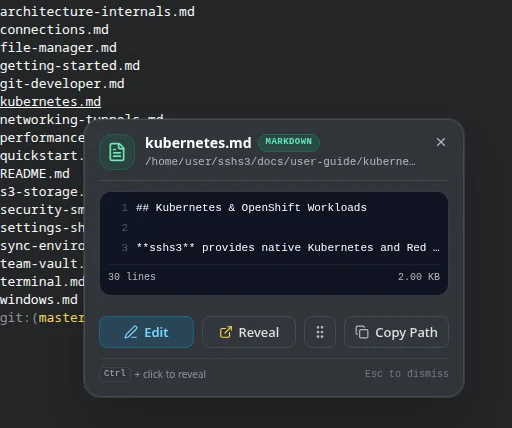
ssh-agentis wired in, sogitandsshuse the card you already unlocked. - Paths in the output are live. Hover one to peek at the first lines, see an image thumbnail, edit the file, reveal it in the file manager, or drag it to your desktop. On Linux and macOS it reuses the open connection, so a hardware key is touched once and not again for every hover.
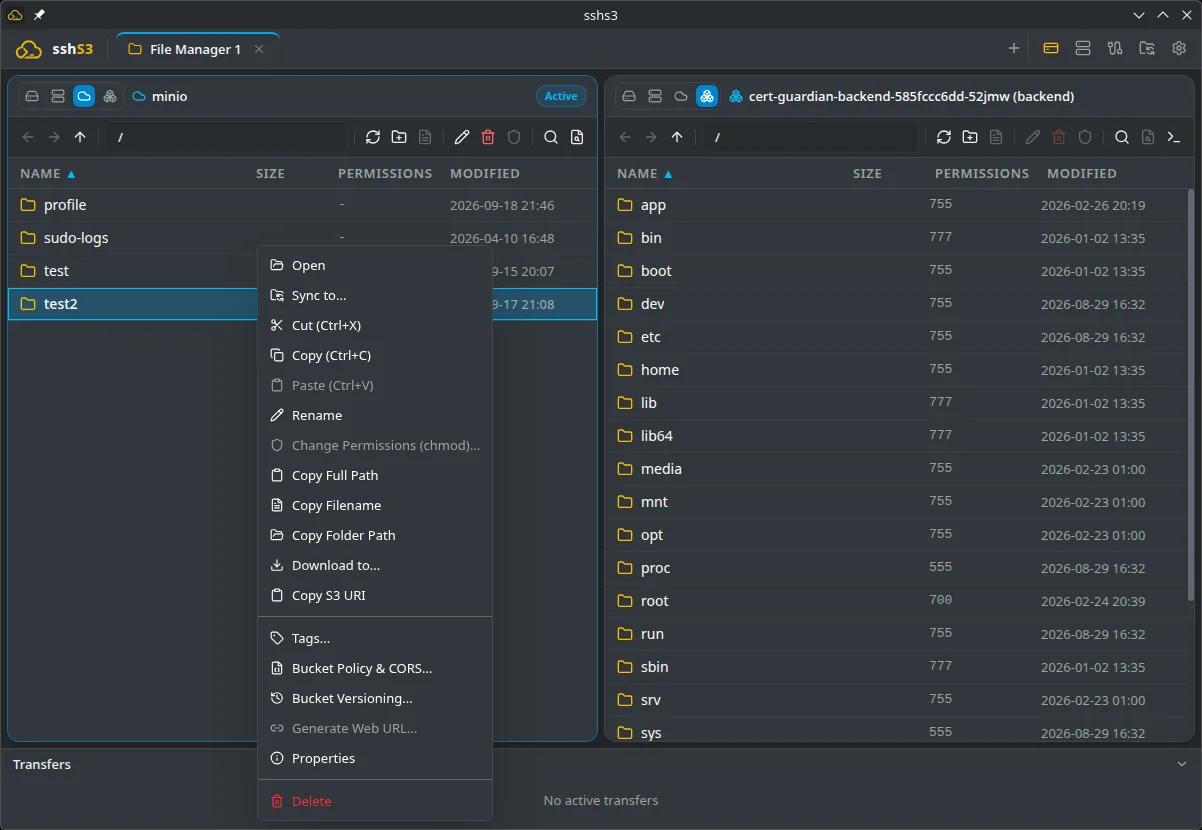
Move files between any two places.
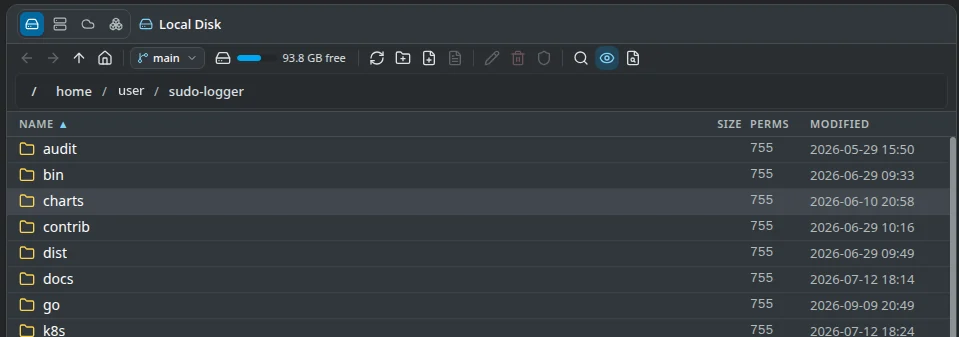
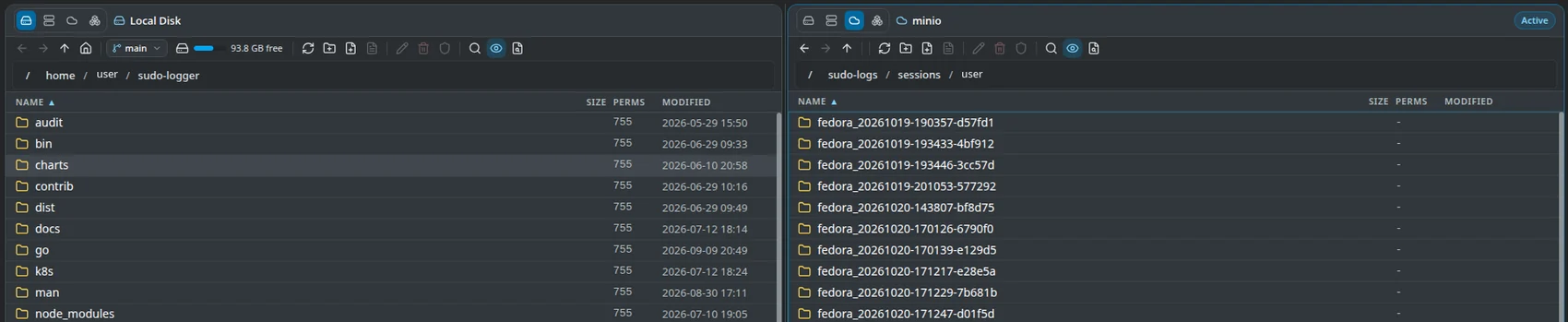
Local disk, SFTP, S3 buckets and pod filesystems all open in the same dual-pane view.
- Copy server to bucket directly. Transfers stream through memory, with no staging copy on your disk.
- Sync with a preview. Compare two folders, review the diff, and save the setup as a reusable profile.
- Search and edit in place. Regex search across backends, plus an editor with Markdown preview and
tail -f. - Git aware. Branch and ahead/behind indicators, one-click pull, and clone here.
Edit remote files without leaving the app.
Open a file from local disk, SFTP, S3 or a pod. Save, and it goes straight back.
- A real editor. Syntax highlighting for 15+ languages, line numbers, search, a JSON formatter, and an atomic save with Ctrl+S.
- Preview as you go. Markdown renders with tables and code blocks. CSV and TSV open as a sortable grid. Images and PDFs open in place.
- Follow a log. Right-click a file and choose Tail -f to stream it with pause and auto-scroll.
- Prefer your own editor? Open it in VS Code, Neovim or anything else. Save locally and sshs3 uploads the change.
Files over 5 MB open read-only, and scripts and executables are never launched from a remote file.
Editor guide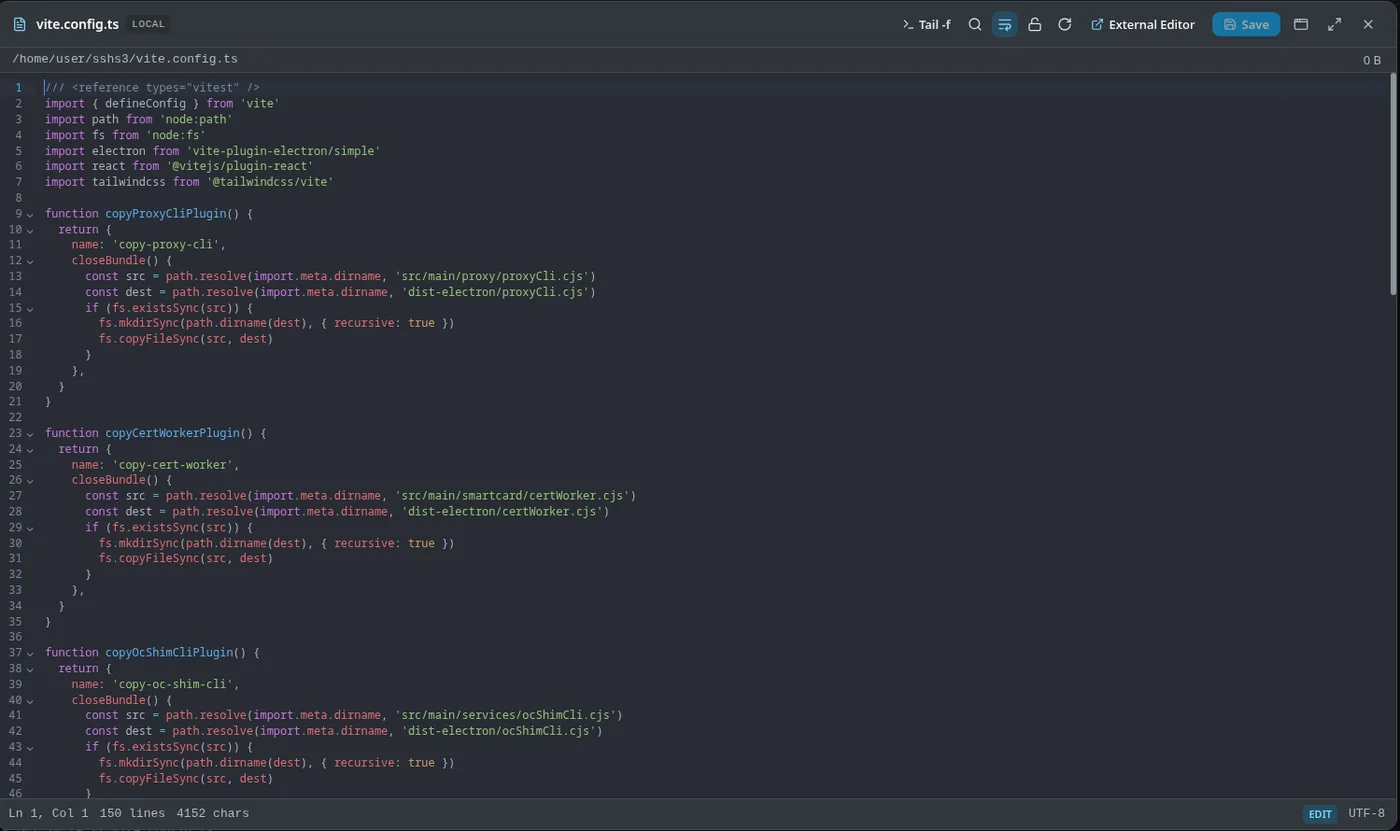
A bucket browser with the admin features.
Manage buckets the way you manage folders, on AWS or on any S3-compatible endpoint.
- AWS SSO sign-in. Device-flow login gives short-lived credentials, with no long-lived keys on the laptop.
- Policy, CORS, tags and versioning are in the context menu, along with presigned web URLs.
- Bring your own endpoint. MinIO, Ceph, Cloudflare R2, Wasabi, Backblaze B2 and StorageGRID work, including self-signed CAs.
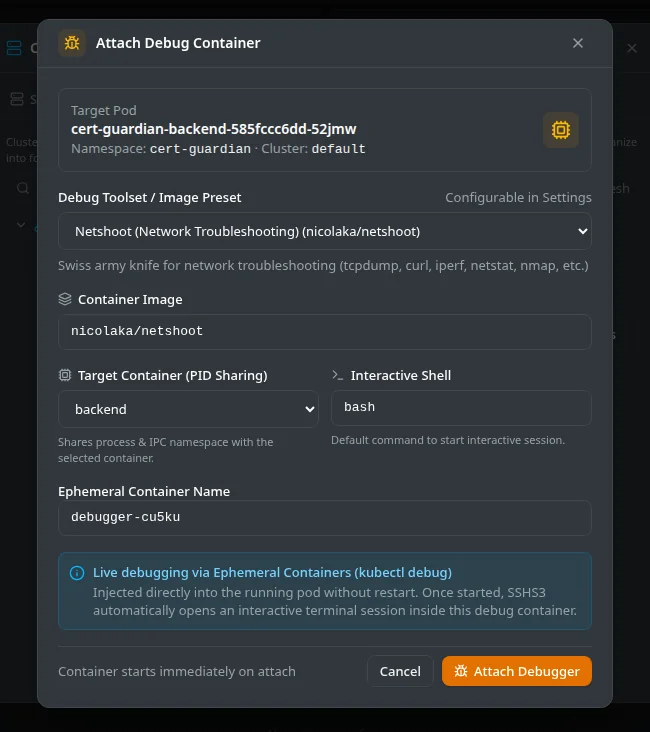
Get a shell in any pod, even a distroless one.
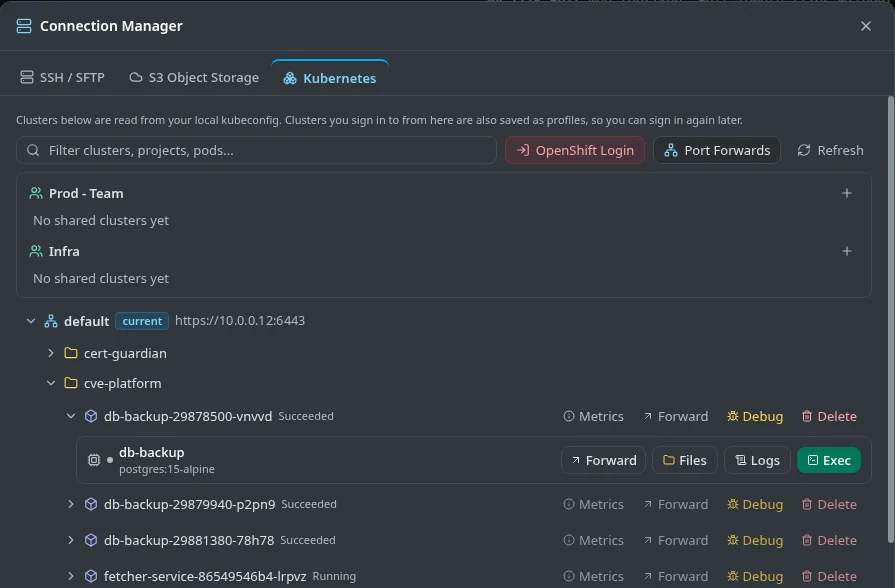
Your kubeconfig becomes a cluster tree. Open exec, logs and files from the same place.
- No shell in the image? Attach an ephemeral debug container with
kubectl debugpresets: Netshoot, RHEL support tools, BusyBox, Ubuntu, or your own image. - A pod is just a folder. Browse, upload, download and edit its files in the file manager, with nothing installed in the image. Drag between a pod and an S3 bucket.
- Logs that survive rollouts. Live logs with search follow the replacement pod and reconnect on their own. Port forwards do the same.
- OpenShift sign-in in the browser. No token to copy on OpenShift 4.13 or newer, or paste your
oc logincommand.
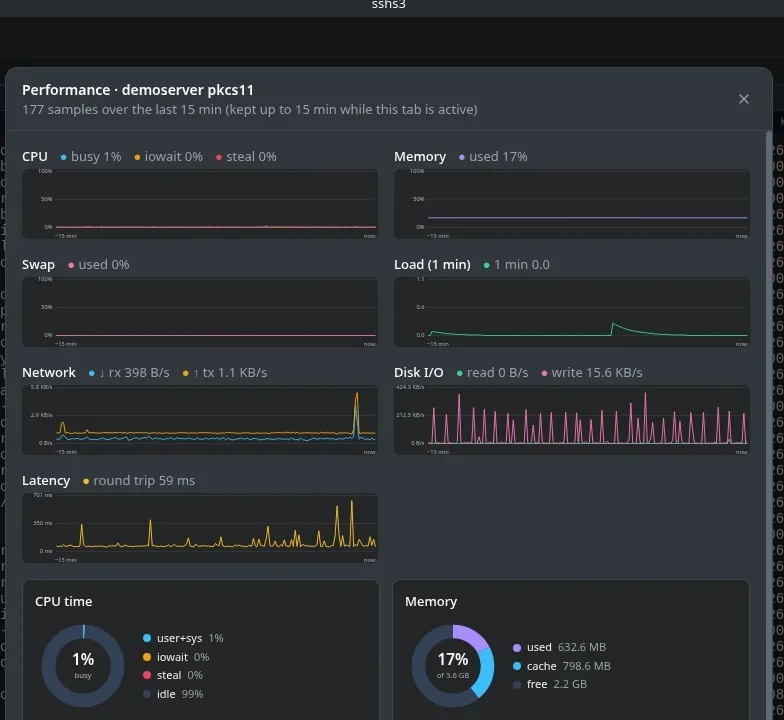
See the load before you open top.
CPU, memory, disk, network and latency sit in a strip above the terminal. It is off until you turn it on.
- No extra prompts. Samples ride the SSH connection you already have, so a hardware key is not touched again.
- Fifteen minutes of history with
iowaitand hypervisorstealbroken out. - Pods too. Container CPU and memory are shown against requests and limits.

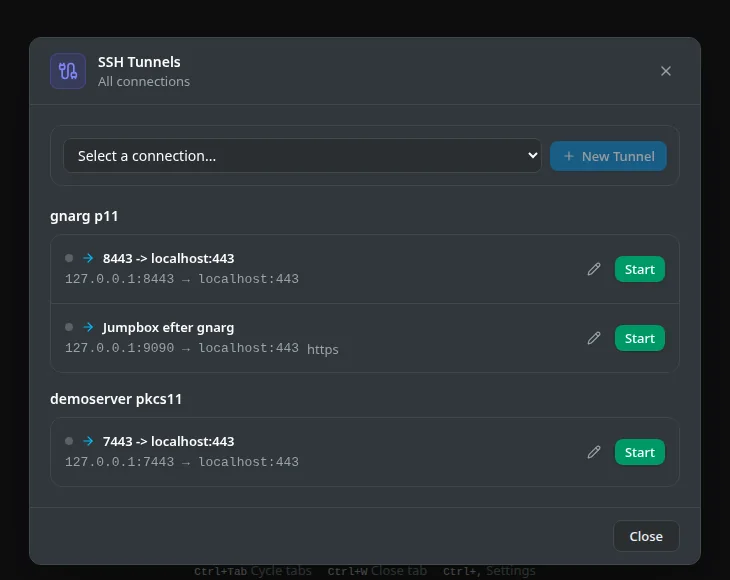
Port forwards that set themselves up.
Forward a port without writing -L. Detect it, save it, start it, stop it.
- Tunnels that open themselves. When a dev server in your SSH terminal announces a port (Vite, Next.js, Django, Flask, Express, Spring Boot,
http.serverand more), a banner offers Forward & Open. sshs3 starts a background tunnel on a free local port and opens it in your browser. Add your own pattern with a custom regex. - Saved forwards. Local, remote and SOCKS forwards per connection, with automatic reconnect.
- Jump hosts. ProxyJump and agent forwarding cover multi-hop access.
- X11 forwarding with a bundled X server on Windows.
Share server profiles with your team. No shared password, no server of ours.
Team Vault keeps your team's SSH and S3 profiles in a bucket you own. Each member opens it with their own YubiKey.
- Your bucket, your keys. Profiles are encrypted with age before they leave your machine. The storage provider only ever sees ciphertext.
- Offboarding is one click. Removing a member rotates the vault key and cuts off their access to future updates.
- Onboarding without secrets in chat. Admins send an encrypted invite. Nobody pastes S3 credentials.
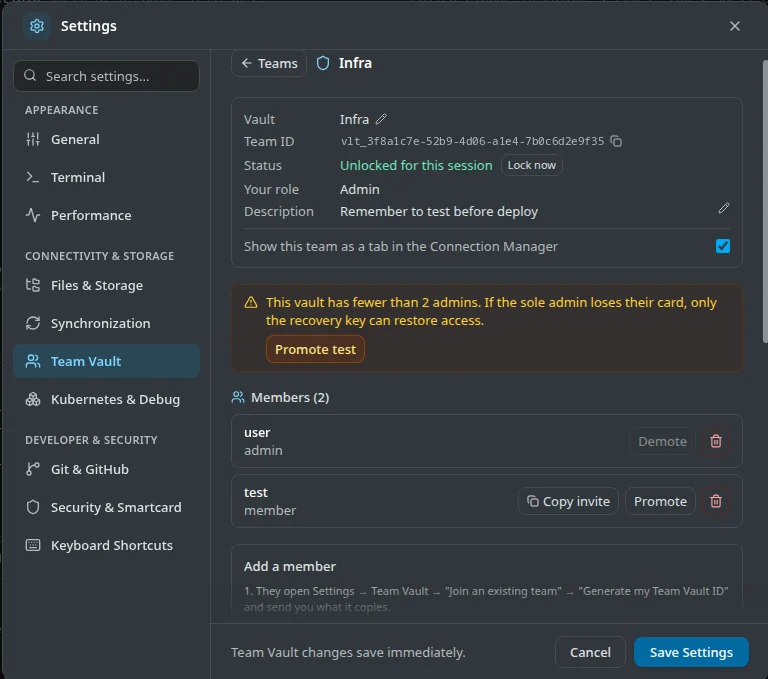
- No lock-out surprises. sshs3 warns when a vault has only one admin, and a printable recovery key covers a lost token.
- Organized like a team works. Several vaults at once, with nested folders and search.
There is no sshs3 account system or cloud service in this chain. If sshs3 disappeared tomorrow, your vault would still be in your bucket.
Team Vault guide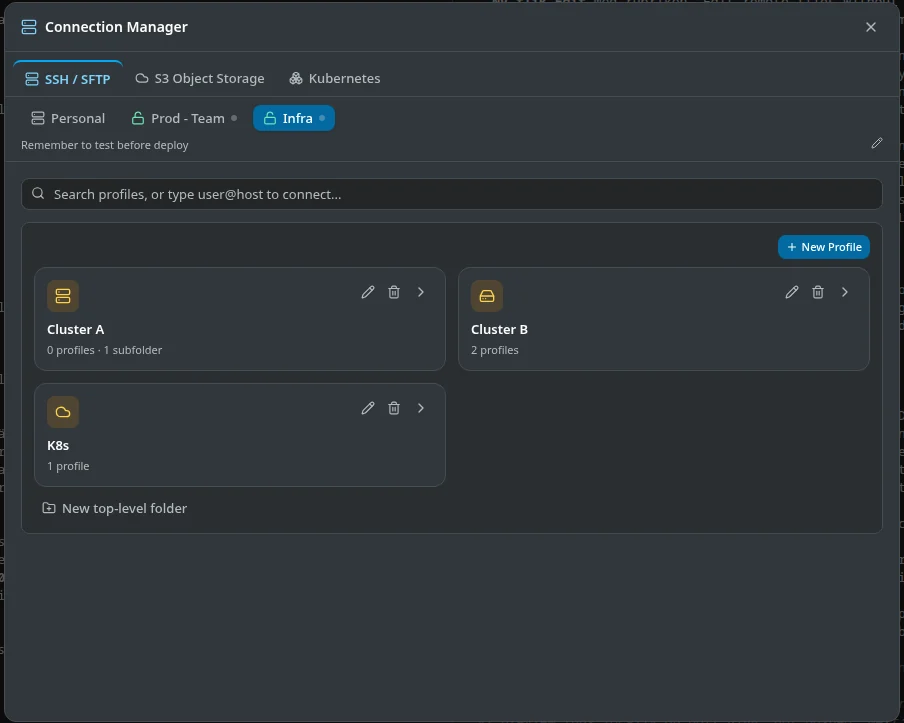
Keys stay on your hardware. Sync stays in your storage.
Nothing here depends on a server we run.
Smartcards and security keys
Sign in with SITHS, Net iD, OpenSC, YubiKey PIV or resident ed25519-sk keys. sshs3 asks for the PIN and shows when the key wants a touch.
- Choose how long a PIN is remembered: never, per terminal connection, or for the app session.
- Passwords and keys are stored in the OS keyring (libsecret or DPAPI). Host keys get an explicit trust dialog.
Profile and dotfile sync
Back up profiles, dotfile pools and settings to your own S3 bucket or SFTP server, encrypted on your machine with AES-256-GCM before upload.
- Unlock with a master password or a smartcard. Two machines edited separately merge per record.
- Keep
.bashrcand friends the same on every server you log in to.
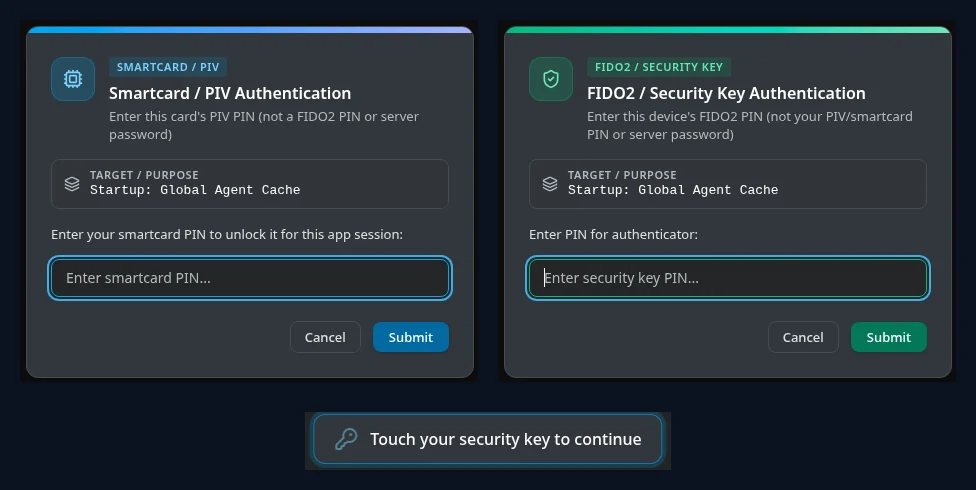
These are the real prompts. One unlocked card works for ssh, SFTP, sync and Team Vault.
Sign in with your company login. Get an SSH certificate that expires on its own.
sshs3 works with Smallstep Step-CA and HashiCorp Vault / OpenBao. Your servers trust one CA key instead of a pile of authorized_keys files.
Short-lived certificates, issued on demand
Click Log In with SSH CA, sign in with your OpenID Connect provider in the browser, and sshs3 receives a signed OpenSSH user certificate. Profiles that opt in use it for terminals, SFTP and tunnels.
- If your identity provider issues a refresh token, the certificate renews itself shortly before it expires, without opening a browser. Otherwise you sign in again.
- Identity tokens and the one-off private key stay in memory. Nothing secret is written to disk.
- sshs3 checks every certificate before using it: a user certificate, with principals, inside its validity window, for the key it asked the CA to sign.
The private key can stay on your smartcard
Use a key that exists for one login only, or let a YubiKey or another PIV smartcard hold it. sshs3 sends only the public key to the CA.
- Works with the CA you already run. The guide covers the OIDC client, the CA side and your SSH servers.
- Several CAs at once, with one default, and a badge in the toolbar that shows who you are, your principals and the time left.
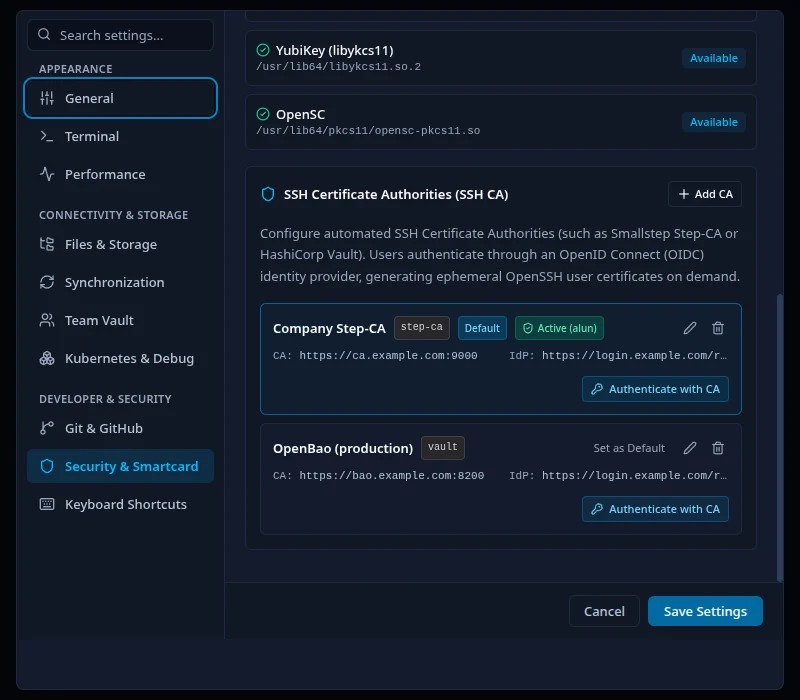
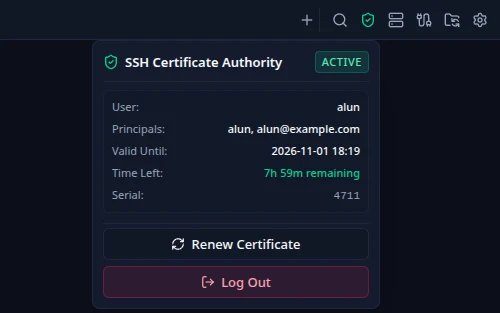
The real settings page and the toolbar badge with an active certificate.
Smaller things you will notice.
- Keyboard firstMove between panes, tabs and dialogs with Ctrl+Shift+arrows. Enter opens, Esc backs out.
- Snippets and clipboard historySaved commands, and an encrypted history of what you copied, scoped globally or per host.
- Your
~/.ssh/config, kept in stepsshs3 maintains one marked block there, so plainssh <profile>works from any terminal. - Git signing without GPGRegister keys on GitHub or GitLab and turn on SSH commit signing. Git guide
- Windows ships completeThe installer bundles an X server for forwarded GUI apps, and local tabs can run PowerShell, cmd or WSL.
- Several windowsDrag a tab to another monitor. The session keeps running while it moves.
- Re-run with sudoWhen a command fails with a permission error, press Enter to run it again with
sudo.
Install sshs3.
Free for Linux and Windows.Latest release on GitHub
The COPR repository follows every release, so dnf upgrade keeps you current.
$sudo dnf copr enable alun-hub/sshs3 && sudo dnf install sshs3COPR currently provides Fedora 44 on x86_64. On other releases use the RPM. If you install from COPR, turn off the in-app update check.
Download the package, then install it with dnf.
$sudo dnf install ./sshs3-*.x86_64.rpmOne file that runs anywhere. Make it executable and start it.
$chmod +x sshs3-*.AppImage && ./sshs3-*.AppImageOn Ubuntu 24.04 and newer, install libfuse2t64 first if the AppImage does not start.
The installer includes an X server for forwarded GUI apps. The portable build needs no install.
Windows builds are not code-signed yet, so SmartScreen may warn. Check the download against SHA256SUMS from the release.
Every release has checksums and a build attestation you can verify. How to verify a download. sshs3 is under active development, so expect rough edges and tell us when you find one.
Questions
Can I transfer files directly between SSH / SFTP and S3?
Which S3 object storage providers are supported?
How does sshs3 handle OpenSSH configuration and security?
~/.ssh/config aliases, ProxyJump bastions and ssh-agent just work. It also supports FIDO2 / YubiKey and PKCS#11 smartcards with in-app PIN entry. See the security guide.How does Team Vault work, and is there an sshs3 cloud backend?
age-plugin-yubikey. When an admin removes a member, the vault key is rotated and re-encrypted for the remaining members. Read the Team Vault guide.